New Mac Utility IconSwapper Lets Users Track Live AI Usage Directly on Dock Icons
· GlobeWire Daily Editorial Desk · Source: techcrunch.com
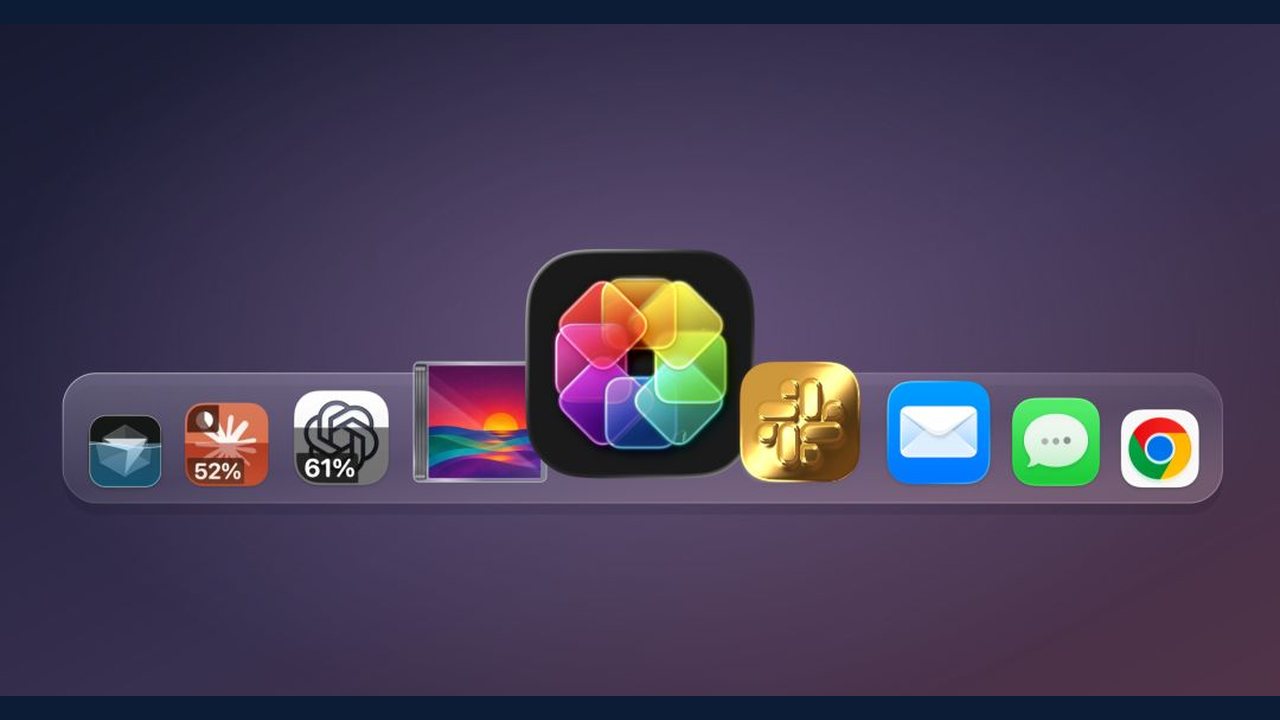
Designer Michael Flarup has launched IconSwapper, a new Mac utility designed to let users customize macOS app icons and display live data, including real-time AI usage limits for tools like ChatGPT and Claude. According to reports, the application works around macOS system protections by drawing directly on icons using custom Metal shaders rather than officially replacing them.
Designer Michael Flarup has released IconSwapper, a Mac utility that introduces custom visual features and dynamic tracking capabilities to the macOS dock.
Tracking AI Usage and App Activity
While IconSwapper supports general visual changes to icons, a primary feature is its ability to display live updates. Users can configure icons for AI applications such as ChatGPT, Claude, and Cursor to reflect usage limits and metrics. In addition, the software supports built-in and third-party Mac applications, allowing for functional or decorative animations, such as tracking web page loads or having interface elements follow cursor movements.
Technical Approach and Customization
Because macOS does not officially support system-level theming, Flarup developed a technique involving custom Metal shaders that run artwork in real time. By transmitting bitmaps for running applications to the Dock, the software allows icons to react dynamically to system interactions, animations, and external data feeds.
- Built-in Library: Includes pre-made alternative icons alongside user upload options.
- Pricing: Listed as a one-time launch promotion of $19, with a standard price of $29.
- Compatibility: Operates within macOS dock and tab bar environments.
Readers can verify official pricing, availability, and system requirements directly on the developer's website. As with any third-party macOS utility that interacts with system graphics rendering, users should review compatibility notes before installation.