OpenAI Expands Collaborative ChatGPT Space Hubs to Plus Subscribers
· GlobeWire Daily Editorial Desk · Source: www.engadget.com
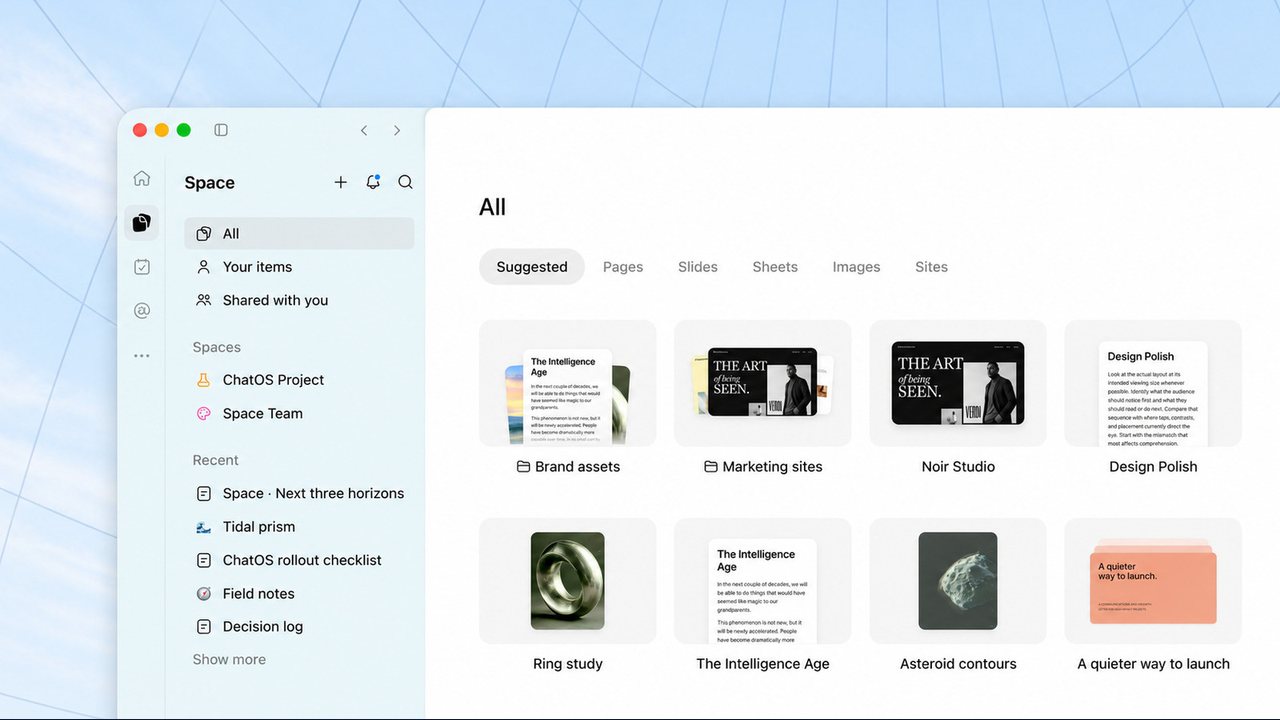
OpenAI has announced the expansion of its collaborative ChatGPT Space hubs to users on the $20 per month Plus subscription plan, following previous availability limited to Pro, Business, and Enterprise tiers.
OpenAI originally debuted ChatGPT Space at its Dev Day event in September. The feature is designed as a centralized hub allowing users to share information, collaborate on documents and files with coworkers or friends, and integrate custom workflows.
Getting Started with Spaces
Eligible users can access the feature immediately by navigating the following steps in the interface:
- Select "Space" from the left-hand navigation bar, which replaces the former Library section.
- Click or tap the plus icon to create a new Space.
- Choose a template or begin uploading pages, slides, spreadsheets, images, and website links.
According to OpenAI, the newly introduced Pages format serves as a foundational document type built for collaborative tasks involving AI, such as writing, visualization, research, and coding. Additionally, Pages can maintain automatic updates from connected external tools.
Features and Limitations for Plus Users
Spaces integrate with ChatGPT's recently revamped Scheduled Tasks function, enabling collaborative project management. However, reports indicate certain tier-based limitations currently apply:
- Plus subscribers cannot utilize Dot agents within their Spaces at launch.
- OpenAI reportedly began testing Dot agents with a select group of Plus subscribers recently, indicating potential future availability.
Practical Use Cases and Verification
OpenAI highlights several potential applications for the collaborative hubs:
- Building organized travel guides and itineraries by collecting locations for upcoming visitors.
- Creating interactive study guides featuring visual aids and self-assessment quizzes for students.
Users can verify the availability of Spaces by checking the left-hand navigation menu of their active ChatGPT Plus account. As tool availability and feature rollouts can vary, subscribers should consult official OpenAI support pages or release notes for the latest updates.