How I Freed Up 36GB on My Android Phone Without Deleting Photos
· GlobeWire Daily Editorial Desk · Source: www.androidauthority.com
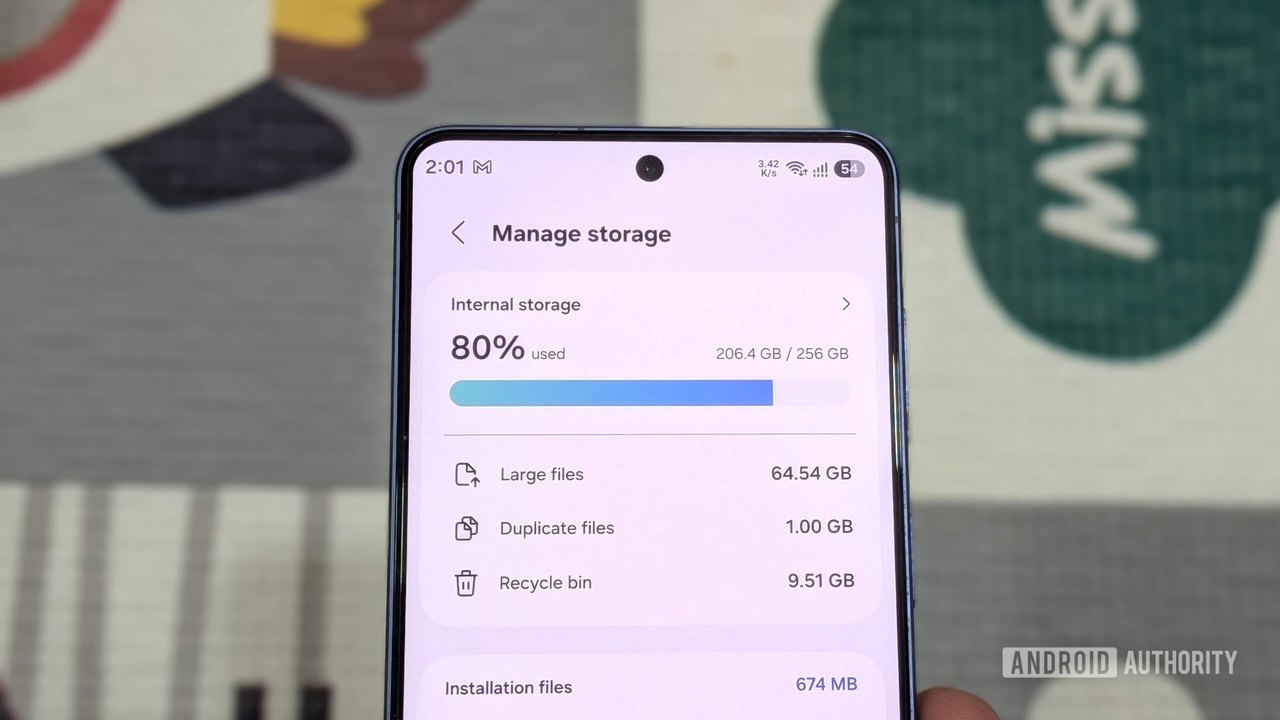
Image: Android Authority · Photo source · Resized and letterboxed to 16:9; no AI generation
Managing limited internal storage on modern smartphones without expandable storage can be a frequent challenge, especially for users who take many photos and videos. A recent personal account detailed a method to reclaim 36GB of storage space on an Android device without deleting any personal photos or videos.
Key Methods Used to Free Up Storage
- Removing and Archiving Unused Apps: Uninstalling roughly a dozen rarely used applications, random games, and test browsers freed up nearly 4GB. Additionally, archiving apps through the device settings reduced app sizes by 60% to 90% by removing core temporary files while keeping user data intact for quick restoration via the Play Store.
- Clearing App Caches: Daily drivers like Chrome, Instagram, Spotify, and YouTube accumulated significant cache data. Sorting apps by storage usage in settings and clearing caches for the top storage-consuming apps recovered nearly 6GB.
- Cleaning Junk and Large Files: Using the Files by Google app helped identify leftover APKs, duplicate files, old screenshots, and large ZIP archives in the Clean tab. Deleting these files and subsequently emptying the Trash tab reclaimed about 4GB.
- Deleting Offline Media Downloads: Removing forgotten offline downloads, playlists, TV shows, and movies from streaming apps like Netflix, Spotify, and YouTube freed up close to 8GB.
- Offloading to External Storage: Connecting an external SSD to the phone's USB-C port allowed the transfer of large 4K videos and old files, recovering roughly 12GB of internal space.
Practical Implications and Verification
These steps demonstrate practical ways to audit device storage without resorting to cloud subscriptions or deleting cherished media libraries. Users can verify these built-in settings by navigating to their device's application manager and utilizing file management utilities like Files by Google.
AI-assisted reporting; source claims are attributed and have not been independently verified.
More to read
 How to pay with your Android phone anywhere in the world
 Google Photos Update Fixes Bug That Hid Edited Pictures From Android Apps
 Nothing accelerates Android 17 rollout for Phone 3a and Phone 4a series
 Mac.apk Runs Android Apps on Apple Silicon Macs Without Emulation