Apps & Software
What the Tiny Key Icon Means on Your Android Device
· GlobeWire Daily Editorial Desk · Source: www.engadget.com
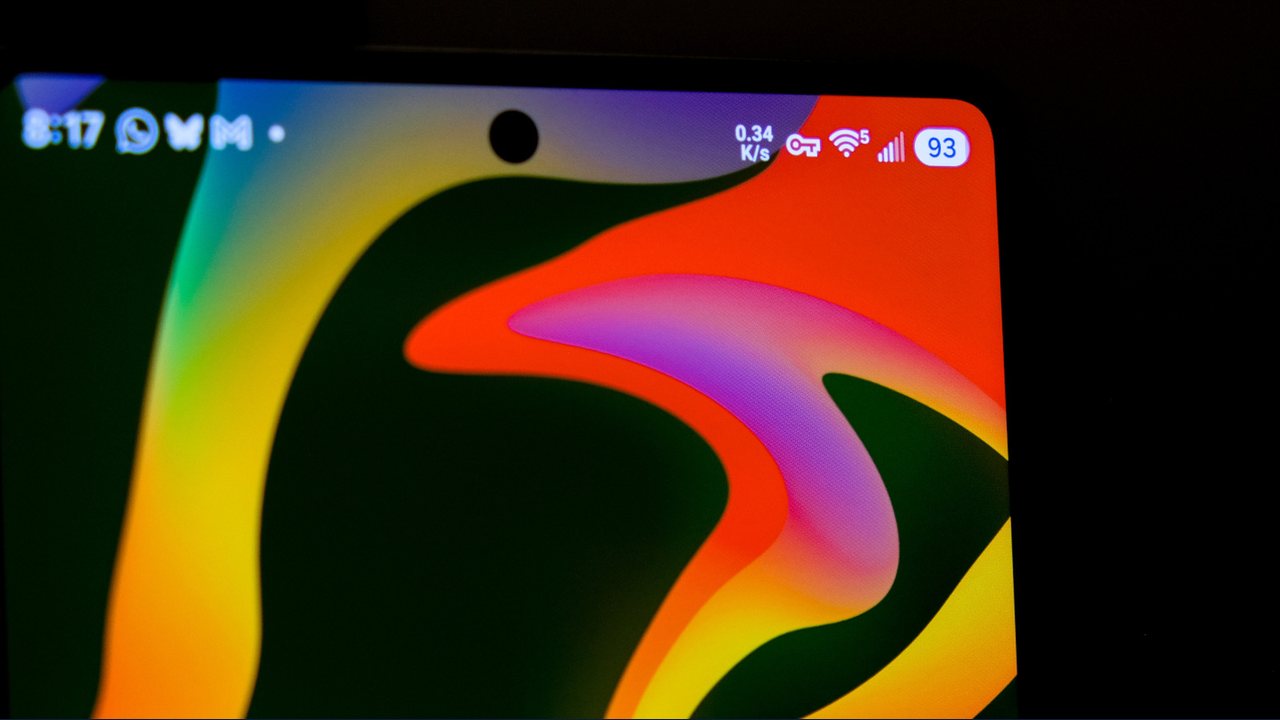
Android status bar icons provide quick information, but symbols like a small key with two teeth indicate an active VPN connection encrypting web traffic from third parties.
Understanding the Android Key Icon
- What it means: You are connected via a VPN that secures your internet traffic.
- Security role: The icon confirms encryption is active; its absence warns that your connection is not encrypted.
- Removal limitations: Most Android devices do not let users hide this icon because it is a vital security and privacy feature. Samsung Galaxy users can hide it by downloading the Good Lock app from the Galaxy Store and using the QuickStar module.
Managing Your VPN on Android
The key icon only appears when a VPN is active, and turning off the VPN is the primary way to remove the indicator.
- Quick disable: Open your third-party VPN app and turn it off, or use the active notification shortcut if available.
- Stock Android / Pixel: Swipe down to Quick Settings, tap the number near the profile icon at the bottom to view background apps, and tap Stop next to the VPN.
- Settings menu (Standard): Navigate to Settings > Network & internet > VPN to view connected profiles and tap Disconnect.
- Settings menu (Samsung): Go to Settings > Connections > More connection settings > VPN to manage connections.
VPN Considerations and Limitations
While VPNs help obscure your IP address from internet service providers and public network operators, they are not complete anonymity tools.
- Tracking: Logged-in accounts like Google or Facebook, cookies, and browser fingerprinting can still identify your device.
- Location spoofing: Users often employ VPNs to bypass geofenced restrictions for streaming content.
- Browsing issues: Some websites may flag VPN traffic as suspicious, triggering CAPTCHAs or blocking access entirely.
To verify your VPN status, check your device settings menu or consult your VPN provider's official documentation for setup details.
Share this article
Read the original source What the tiny key icon means on your Android device