Understanding Red USB Ports: Speed, Power, and What Manufacturers Mean
· GlobeWire Daily Editorial Desk · Source: www.engadget.com
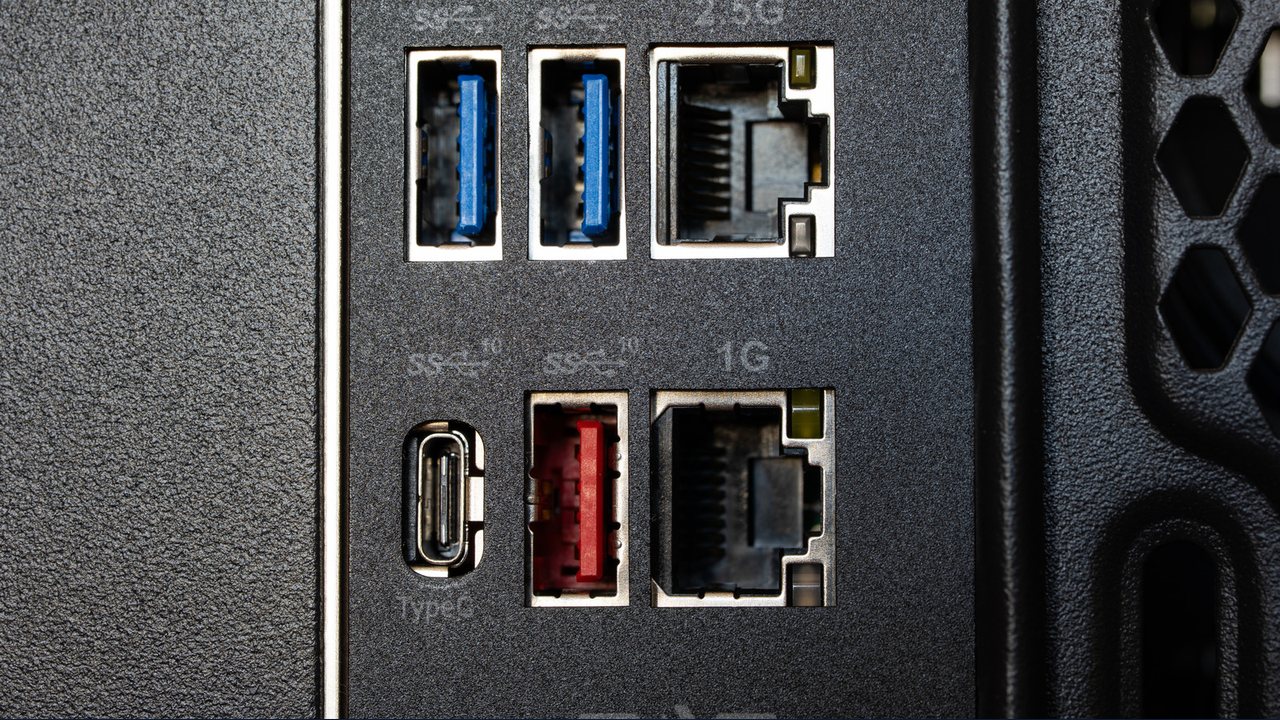
While there is no universal color-coding standard for USB ports, a red USB port commonly points to high data transfer speeds or always-on charging capabilities. Because the USB Implementers Forum does not regulate port colors, hardware makers apply shades like red at their own discretion to help users identify specific functions.
What Red USB Ports Usually Indicate
While standard USB ports are often black, white, or blue, finding a red port on a device generally suggests one of two primary features:
- High-Speed Data Transfer: Red ports are frequently associated with USB 3.2 or USB 3.1 Gen 2 standards. These connections support speeds up to 20 Gbps, making them among the faster options in common use for external storage devices like solid-state drives (SSDs).
- Always-On Charging: Some manufacturers use red to designate charging ports that remain powered even when the host computer is completely turned off, which is useful for overnight charging.
These specialized ports appear more frequently on higher-end hardware, such as gaming laptops and advanced motherboards, rather than standard consumer electronics.
How to Verify Port Functions
Because color choices vary entirely by manufacturer, visual identification is not always definitive. Users can confirm a port's exact capabilities through several methods:
- Check the Device Manual: Reviewing the documentation for the specific device model remains the most reliable way to understand color meanings.
- Look for Port Symbols: Manufacturers often stamp identifying icons near the connection. An "SS" symbol or numerical indicator points to SuperSpeed capabilities, while a lightning bolt typically denotes an always-on power supply.
Practical Implications and Safety
Using a mismatched USB port carries minimal risk. USB ports maintain backward compatibility, meaning cables from different generations will still function, though they may not reach their maximum potential transfer speeds if plugged into a slower port. Using the wrong port generally only results in suboptimal power delivery or speed.