Google explains why Samsung Galaxy devices lack Noto 3D emoji support
· GlobeWire Daily Editorial Desk · Source: www.sammobile.com
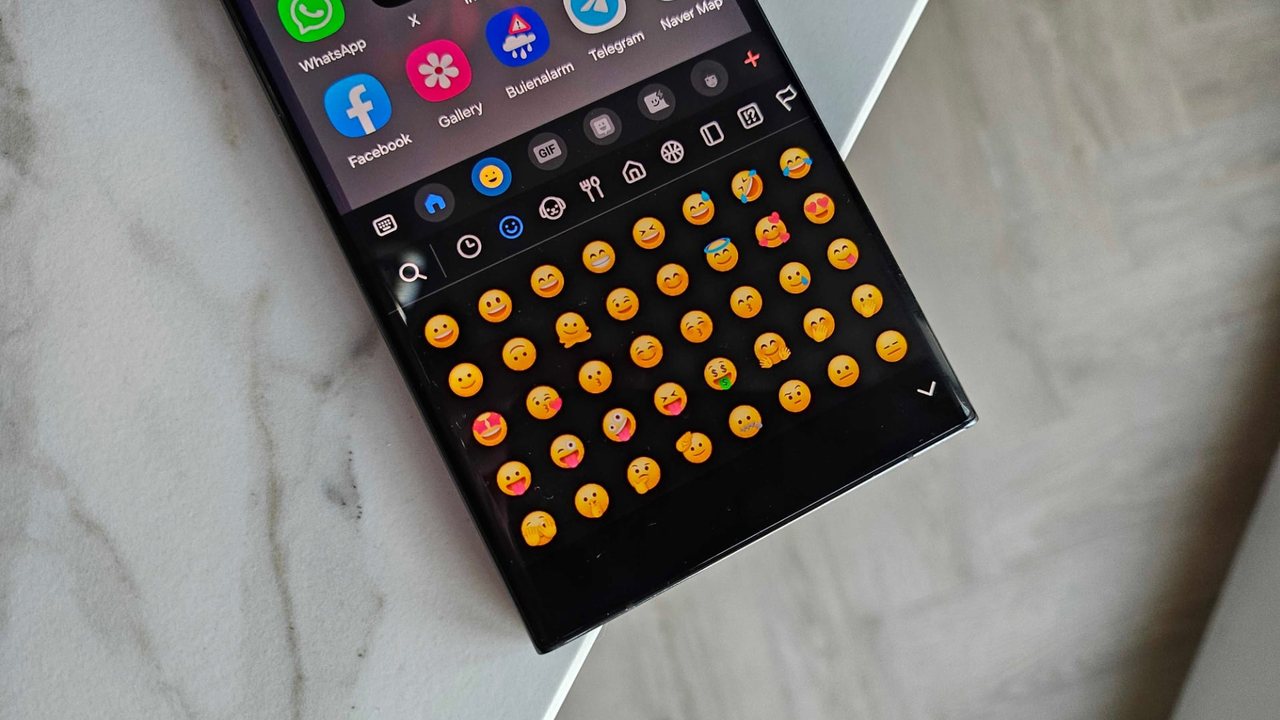
Google is rolling out its new Noto 3D emoji font to more Pixel devices, but Samsung Galaxy phones and tablets will not receive the update. According to a recent Google blog post highlighted by SamMobile, the exclusion stems from Samsung's use of a proprietary emoji font rather than the open‑source Noto format. Noto 3D relies on a high‑resolution bitmap font, which differs from the vector‑based 2D emojis used by most systems. Third‑party apps that bundle their own emoji fonts face the same limitation. Google has not indicated whether Samsung or other OEMs plan to adopt the new format, leaving the decision to the manufacturers.
Why Samsung Galaxy devices are excluded
- Samsung uses a proprietary emoji font that is incompatible with the Noto 3D bitmap format.
- The Noto 3D font is open‑source, but its bitmap rendering requires specific system integration.
- Google confirmed that Samsung is not a special case; any OEM using a non‑Noto font will miss the update.
- Third‑party apps with custom emoji fonts are similarly affected.
System requirements for Noto 3D emojis
- Android 14 or later
- At least 4 GB of RAM
- GPU with Vulkan 1.1 support
- Minimum 2 GB of available storage
Most current Galaxy models meet these specs, yet the font's rendering demands keep them from supporting Noto 3D.
What Noto 3D emojis offer
- Enhanced depth and detail
- Improved expressiveness
- Inclusive design variations
- Optimized contrast and legibility
These visual upgrades require more powerful hardware than traditional vector emojis.
Implications for users and developers
- Galaxy users will continue seeing Samsung's existing emoji set unless Samsung updates its system font.
- App developers relying on system emojis cannot display Noto 3D on Galaxy devices.
- Users can verify the rollout by checking Google's official blog or the Noto GitHub repository.
How to verify the announcement
- Read Google's blog post on the Noto 3D rollout.
- Consult the Noto fonts project page for technical details.
- Monitor Samsung's software update channels for any future font changes.
More to read
 Report Suggests Samsung's Galaxy A Devices May Face Price Increases Next Year Due to Rising Memory Costs
 Samsung's Mobile Repair Vans Reach Over 50,000 Galaxy Device Fixes Across Europe
 Samsung Introduces Camera App Enhancements in One UI 9.5 Beta for Galaxy S26
 Samsung Galaxy Watch 8 Classic Price Drops by $150 Ahead of Black Friday