iPhone 5C Searches Surge As Retro Tech Trend Rises—Along With Security Warnings
· GlobeWire Daily Editorial Desk · Source: www.techradar.com
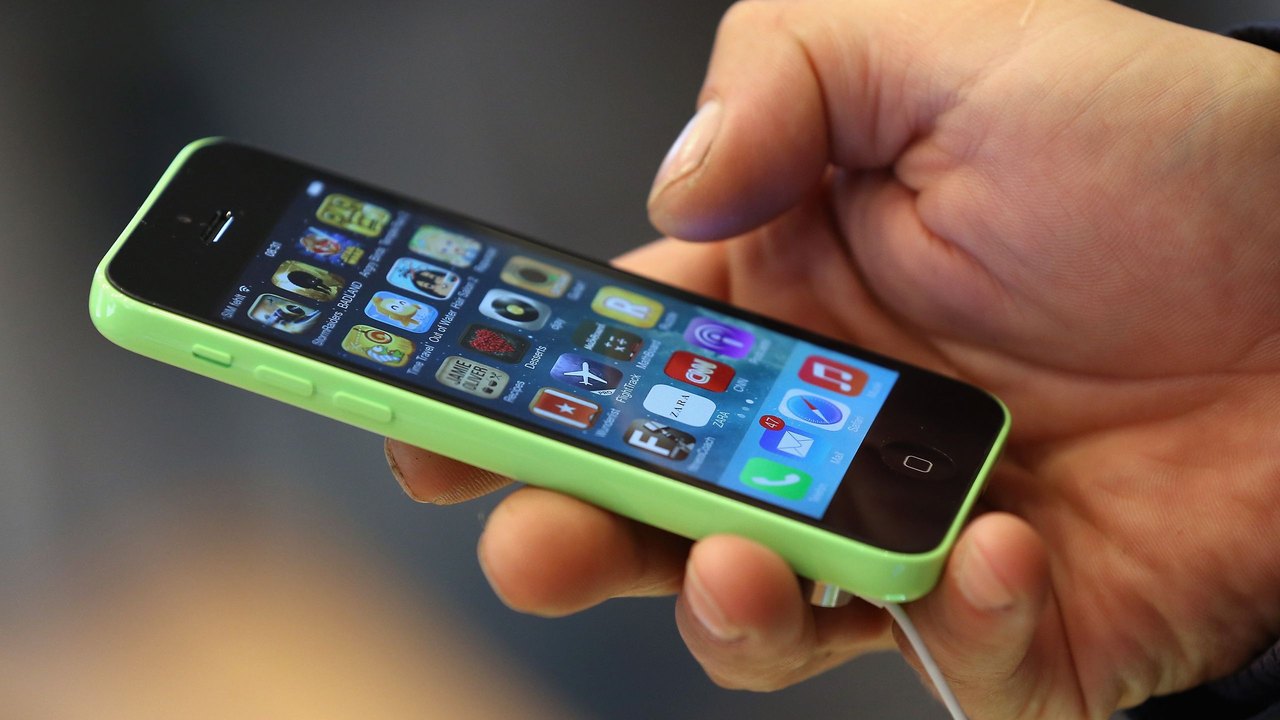
Image: TechRadar · Photo source · Resized and letterboxed to 16:9; no AI generation
Online interest in the older iPhone 5C model has reportedly surged over the past year, driven by a growing trend for retro digital cameras among younger users. However, mobile phone recycling data and industry experts caution that using the 2013-era device comes with significant security considerations.
According to data reported from mobile phone recycling comparison site Compare and Recycle, search queries to purchase the iPhone 5C increased significantly over the past year. Related searches regarding the device's camera and general model name also experienced notable rises. Industry observers attribute this shift to interest in vintage aesthetics and early digital camera styles, a look that the iPhone 5C's older eight-megapixel camera helps produce.
Security Risks of Aging Software
While the device may appeal as a vintage photographic tool, experts emphasize that it remains an outdated computer. Key technical limitations include:
- Outdated Operating System: The final software version supported by the iPhone 5C is iOS 10.3.3, which was released in 2017.
- Lack of Updates: The device has missed years of crucial security patches and system updates.
- Vulnerability: Experts note that running unsupported software exposes users to potential data leaks, hacking attempts, and security breaches.
Practical Precautions for Vintage Camera Users
For those who choose to use the iPhone 5C as a standalone digital camera alternative, security specialists recommend taking strict safety measures to protect personal information:
- Keep It Offline: Operate the device strictly in airplane mode without a SIM card inserted.
- Avoid Personal Accounts: Do not log into your primary Apple ID, email, banking, or sensitive social media accounts.
- Use Cable Transfers: Transfer captured images directly to a computer using a physical cable rather than utilizing iCloud backups.
- Disposable IDs: If connecting to a network is strictly necessary, experts suggest setting up a separate, disposable Apple ID dedicated solely to that device.
To verify original reports and recycling statistics, readers can consult direct releases and updates from Compare and Recycle or check major consumer technology reporting platforms.
AI-assisted reporting; source claims are attributed and have not been independently verified.
More to read
 US Tech Outages Stem From Economic Incentives Rather Than Cyber-Attacks, Security Expert Argues
 Zimperium 2026 Report Highlights Surge in AI-Driven Mobile Security Threats
 US Vice President Vance Sends Letter to Iran’s Security Chief Amid Escalation Warnings
 Reverse‑Engineered Games Surge: AI‑Powered Decomps, Jailbreaks and Unofficial Ports Redefine Retro Play