How a Writer Replaced Obsidian with Google Docs and Gemini Notebook
· GlobeWire Daily Editorial Desk · Source: www.androidpolice.com
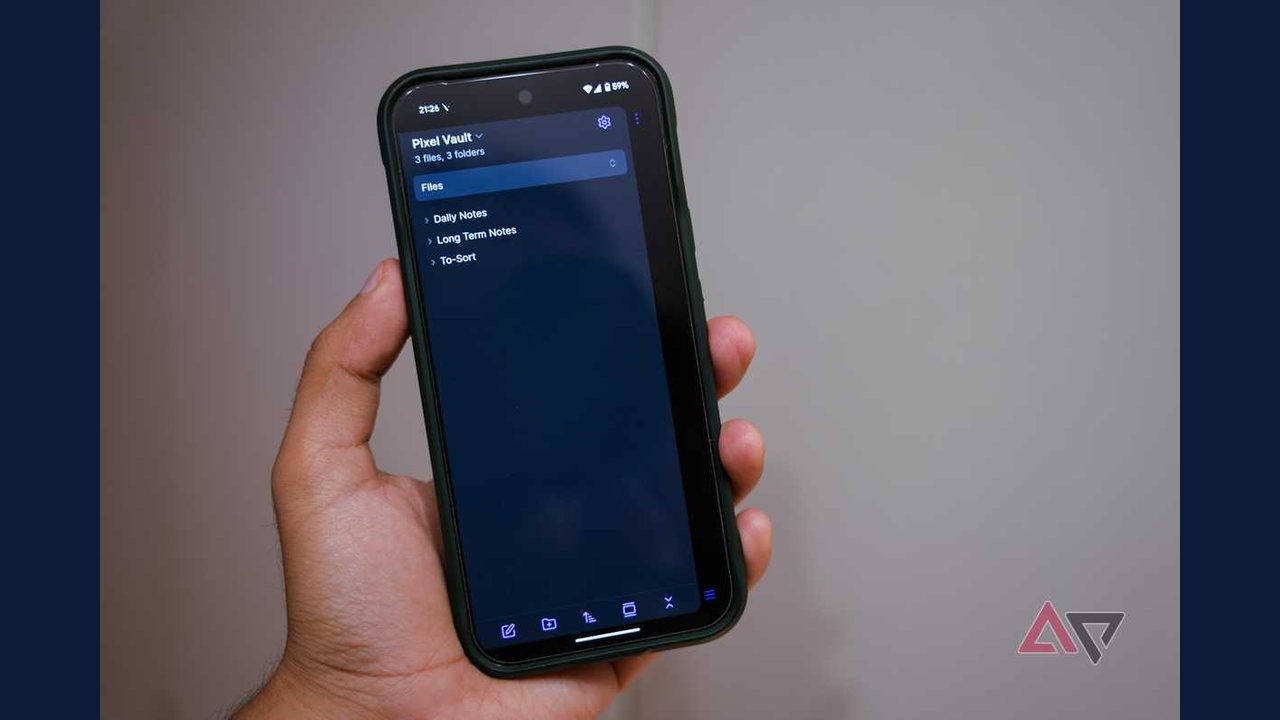
A reported personal workflow shift highlights how combining Google Docs and Gemini Notebook can serve as an alternative to dedicated knowledge management tools like Obsidian, according to an author's published experience. While specific productivity gains vary by individual, the approach relies on built-in word processor features and AI-assisted source exploration.
The Shift Away From Dedicated Vaults
Traditional knowledge bases often require maintaining local vaults, managing plugin ecosystems, and configuring links between disparate files. For users who find manual file architecture time-consuming, web-based suites offer an alternative setup.
- Reduced Overhead: Eliminates the need to configure third-party plugins or manually synchronize local directories.
- Familiar Environments: Leverages standard document interfaces for everyday writing and research storage.
Utilizing Native Markdown in Google Docs
Google Docs includes native support for Markdown syntax, allowing users to format text without relying solely on toolbar menus.
- Enabling the Feature: Users can activate Markdown by navigating to `Tools > Preferences` within a Google Doc and checking the corresponding box.
- Portability: Documents can be exported directly as `.md` files or opened and edited in Docs without prior conversion, preserving cross-app compatibility.
Querying Research with Gemini Notebook
Storing text is only part of personal research management. Gemini Notebook allows users to compile various file types—including Google Docs, PDFs, and Markdown files—into a single workspace.
- Source-Based Queries: Users can ask questions about the collected documents rather than manually searching across multiple files.
- Limitations: Readers accustomed to advanced features like local-first storage, graph views, and extensive backlinking found in Obsidian may find web-based alternatives restrictive.
Practical Implications and Verification
Transitioning note-taking workflows depends heavily on individual requirements for privacy, offline access, and structural customization. To verify Markdown settings or explore AI tool integrations, users should consult official Google Workspace documentation and privacy guidelines before migrating sensitive data.