OpenAI Explains GPT-6 Astra Usage Limits, Model Settings, and Reset Options in Work and Codex
· GlobeWire Daily Editorial Desk · Source: help.openai.com
Original GlobeWire Daily editorial illustration — not an event photograph.
What OpenAI’s Help Center Says About GPT-6 Astra Usage
According to OpenAI’s Help Center article “Managing usage with GPT-6 Astra in Work and Codex,” GPT-6 Astra is described as the most capable model for coding, research, analysis, and complex problem-solving. Work and Codex share a single usage allowance included with the user’s plan or workspace seat.
OpenAI states that the allowance does not correspond to a fixed number of messages or tasks. Consumption depends on the model, the task, and settings such as reasoning effort. Users can check remaining allowance and reset times under Settings → Usage.
Plans and Usage Windows
The guide says Work and Codex usage is included with ChatGPT Plus and Pro plans, as well as Business Standard and Premium seats.
Depending on the plan, limits may apply over a five-hour window and a weekly window. Where both apply, users need remaining allowance in both to continue. A new five-hour window starts when the user sends their first message in Work or Codex after the previous window ends.
OpenAI notes that Pro 100, Pro 200, and Pro 500 plans currently have no five-hour usage limit in Work and Codex, though an included usage allowance still applies.
For Plus and Standard Business plans, OpenAI provides estimated ranges for local messages within a five-hour window, but describes these as estimates, not guaranteed message counts. Cloud tasks may use more allowance than local messages, and weekly limits may also apply. API usage is billed separately at API rates.
Model Choice and Reasoning Effort
Different models use different amounts of allowance for the same task. Larger inputs and outputs, higher reasoning settings, Fast mode, and multi-step tasks can increase consumption.
Models listed in the guide include:
- GPT-6 Astra: complex coding, research, analysis, and problem-solving
- GPT-5.6 Sol: balance of capability and efficiency
- GPT-5.6 Terra: speed, capability, and cost for everyday work
- GPT-5.6 Luna: fast, economical option for focused or repetitive tasks
OpenAI also says GPT-6.1 Sol may be available for some accounts with supported reasoning levels, depending on account and workspace permissions.
Reasoning levels—lower, medium, and higher effort—can be adjusted separately from model choice. OpenAI cautions that higher effort can use more allowance and does not always produce a better result. It adds that Astra at low effort can outperform Sol at high effort.
Ultrafast and Fast Mode
Ultrafast provides lower-latency responses for GPT-6 Astra and GPT-6.1 Sol. According to the Help Center:
- Pro $500: Ultrafast uses included Work and Codex usage first at 8× the standard rate, then draws from credit balance at 6× the standard credit rate.
- Eligible Enterprise and Edu workspaces: Ultrafast draws from workspace credits and requires appropriate permissions.
- Plus, Pro $100, Pro $200, and Business do not include Ultrafast at launch, and purchasing credits does not enable it.
Fast mode also provides faster responses and uses more of the included allowance, with supported models and rates detailed separately.
Reaching a Limit and Reset Options
If a usage limit is reached, OpenAI directs users to Settings → Usage to identify which limit was reached and when it resets. Depending on the account, options may include waiting for a reset, using a saved reset, or continuing with eligible credits. Switching models does not restore allowance in a shared usage pool.
The guide describes several reset types:
- Banked reset: saved until used or expired; a full banked reset refreshes five-hour and weekly limits and changes the weekly reset date.
- Automatic or global reset: refreshes eligible limits directly and does not appear as a saved reset.
- Purchased instant reset: available to eligible personal Plus and Pro accounts depending on account and billing country; refreshes immediately upon checkout and cannot be saved.
OpenAI also referenced banked resets on September 3 and September 4, 2026 for eligible existing Plus, Pro, and Business subscribers in good standing, and an automatic reset on September 7, 2026. The article states these offers covered the broader Astra launch delay and that individual access issues after launch do not qualify for an additional reset.
Practical Implications and Verification
Users should check Settings → Usage before starting a large task to see remaining allowance, usage windows, and reset times. If Astra is missing, OpenAI recommends checking for app updates, fully quitting and reopening the app, then checking the model picker and Settings → Usage. Model access still depends on plan, workspace permissions, and rollout eligibility.
Buying credits or upgrading does not automatically add Astra access. GPT-6 Pro in Chat is powered by Astra but has separate message limits from Work and Codex.
To verify the original announcement, users can open the OpenAI Help Center article directly and compare their own Settings → Usage screen against the plan-specific details listed there.
AI-assisted reporting; source claims are attributed and have not been independently verified.
More to read
 Naviu Launches AI‑Powered AR Travel Companion for Japan, Promising City‑Scale Navigation in 29 Languages
 Anthropic Hiring Manager Declares End of Traditional Coding Interviews, Citing AI Superiority
 Anthropic Blocks AI Game Clones in Claude Opus Update
 Apple’s Ternus Defends AI Strategy: ‘We Don’t Ship AI for AI’s Sake’
Trending on GlobeWire Daily
Selected from recent coverage and related topics; not live search rankings.
 Open‑Source Repository Launches Modular Design Skills for AI Coding Assistants
 Sri Lankan woman stranded in Cook Islands for three years after transit visa rejections
 South Africa clinch series 2‑1 with dominant 176‑run win over Australia at Newlands
 South Africa Overtakes Australia to Top ICC Test Rankings After 2‑1 Series Win in Cape Town
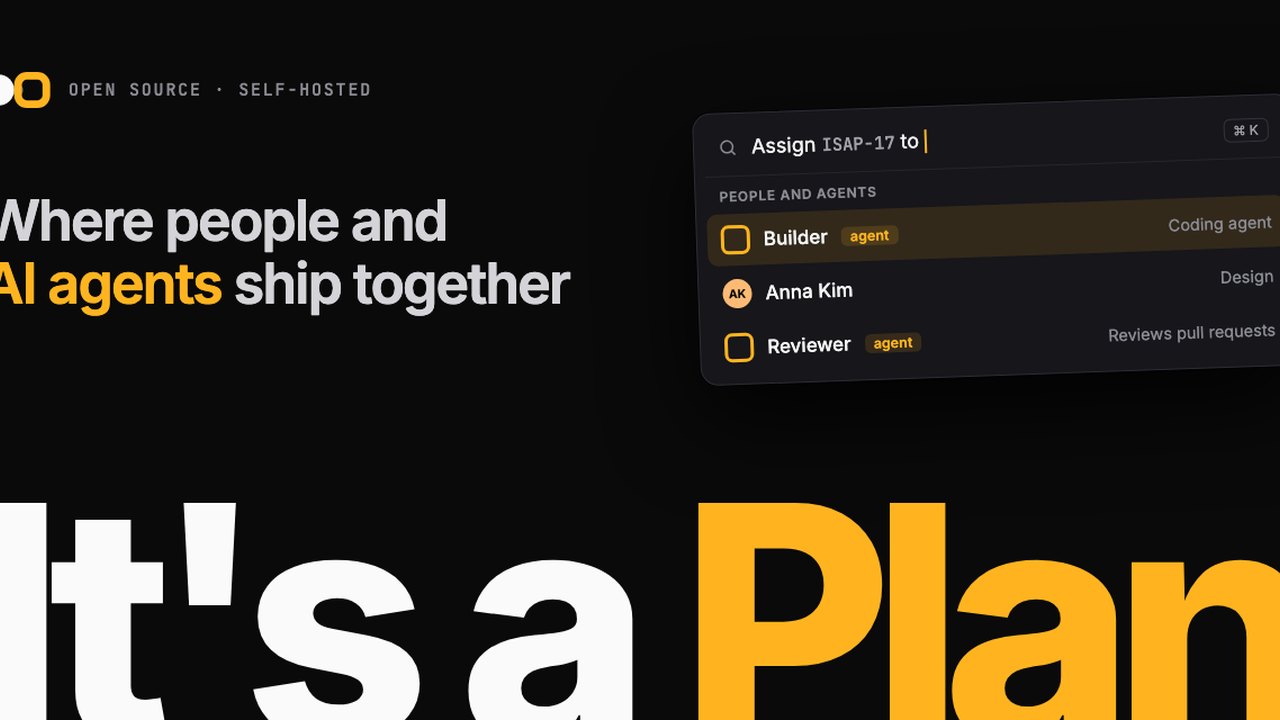 Open‑Source ‘It’s a Plan’ Offers Self‑Hosted Project Management with AI Agents
 Delhi Cyber Cell Investigates High School Student Over 17 Lakh Life Certificate Fraud APK