Testing PocketBar to Run Android Apps from a Mac Menu Bar
· GlobeWire Daily Editorial Desk · Source: www.androidpolice.com
Overview
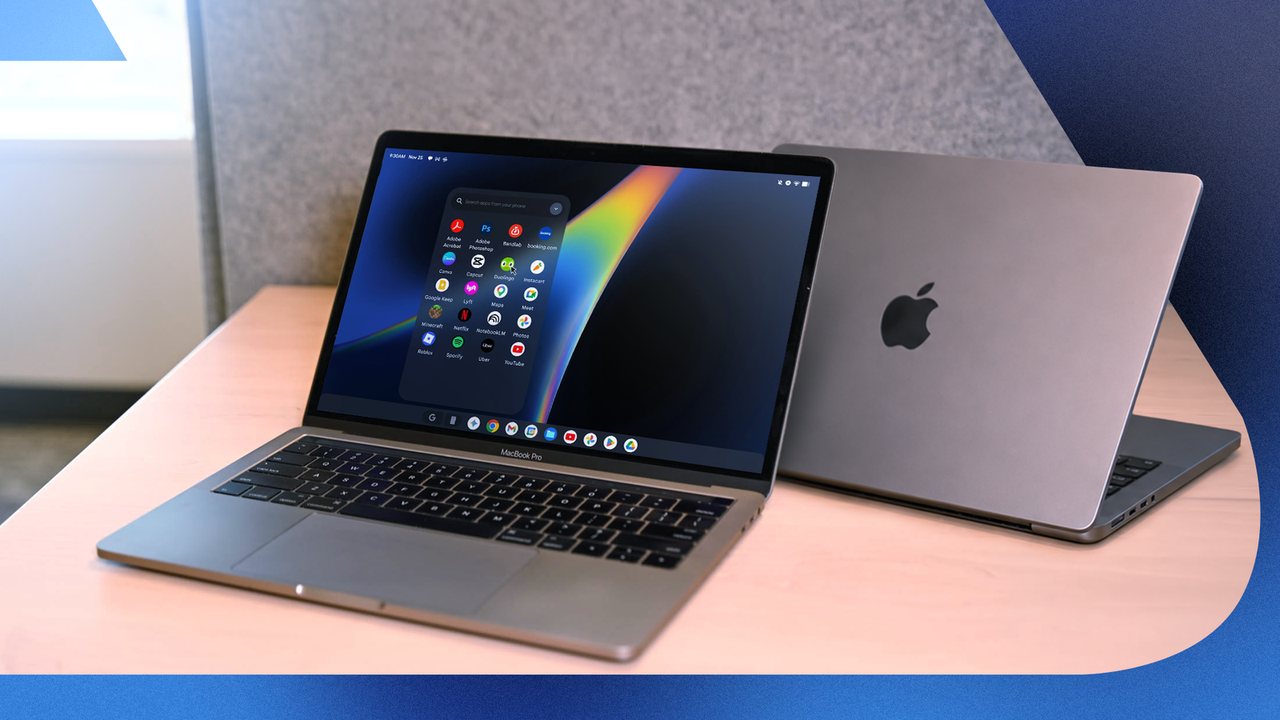
Android Police features writer Irene Okpanachi recently tested PocketBar, a software utility designed to run Android applications directly from an Apple Silicon Mac's menu bar. Operating as a remote control for a virtual Android environment, the software integrates with Google's Android Emulator to bring mobile applications to macOS.
How PocketBar Works
According to the reported evaluation, PocketBar downloads a virtual Android phone setup—including an Android 15 system image—during its initial configuration.
- System Requirements: Requires an Apple Silicon Mac running macOS 14 or later.
- Supported Android Versions: Compatible with Android versions 11 through 16.
- File Formats: Primarily utilizes Android Package Kit (APK) files. Standard APK bundles like APKM are reported as incompatible.
Installation and App Management
PocketBar is available in two variants: Standard (plain Android without a built-in app store) and Google Play (which includes the store and requires roughly 2GB of additional storage space).
During the test using the Standard version, APK files were sourced manually from repositories like F-Droid. To streamline app discovery without a native store, the reviewer utilized ShizuStore, a third-party repository app that organizes software by category, handles updates, and pulls direct downloads from developer pages like GitHub and GitLab.
Features and Performance
Tested apps opened in independent windows alongside native macOS software. Notable observations from the evaluation include:
- Full Functionality: Apps retained their complete feature sets rather than scaled-down mobile ports.
- Customization: Built-in settings allowed users to adjust RAM allocation (defaulted to 2.0GB on Balanced), configure dark mode synchronization with macOS, and toggle microphone or camera permissions.
- Ad Blocking: Includes a built-in ad blocker within the utility's settings.
Pricing and Pro Tier
The software is offered for free with a seven-day Pro trial. The permanent Pro tier is priced at a one-time fee of €9.99 (approximately $11) and unlocks screen recording, app backups, and an unlimited number of apps in the menu bar.
Practical Implications and Verification
For Mac users interested in running mobile applications without purchasing additional hardware, software-based emulation offers a viable alternative for repurposing existing computer resources. Readers can verify compatibility details, download prerequisites, and check official pricing directly through the developer's official channels and release documentation.
More to read
 Four Persistent Software Challenges Facing the Android Platform
 Android 17 QPR3 Beta 4 Shows Battery Life Gains for Pixel Phones, Final Release Expected Early 2027
 Android Authority Reader Poll Reveals Majority Satisfaction with Pixel 11 Pro After Three Months
 Android 17 is rolling out to more Motorola phones: Here is the updated list