Customize Your Samsung Galaxy Lock Screen Padlock Using Good Lock
· GlobeWire Daily Editorial Desk · Source: www.sammobile.com
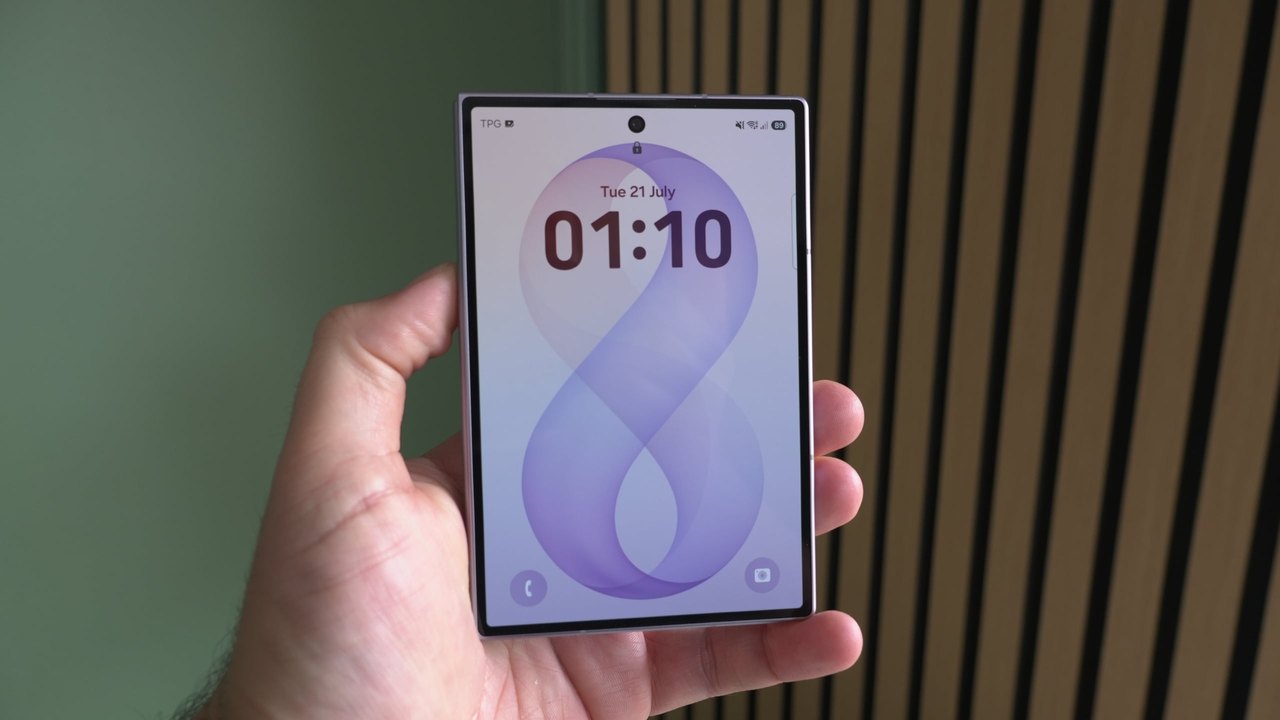
Image: Mihai Matei · Photo source · Resized and letterboxed to 16:9; no AI generation
Samsung offers extensive customization options through One UI, and the Good Lock platform expands these capabilities further for Galaxy device users. While standard One UI settings allow users to personalize almost every part of the lock screen, one element remained unchanged by default: the padlock icon at the top.
According to reports, users can now customize this final piece using the LockStar module available within Good Lock.
Customizing the Padlock Icon with LockStar
The LockStar module allows Galaxy users to modify the appearance of the lock screen padlock icon without relying on third-party applications. Good Lock is developed by Samsung and is available for download on compatible Galaxy devices via the Galaxy Store or Google Play Store.
- Open the Good Lock app on your Galaxy phone.
- Search for and install the LockStar module from the list of available modules.
- Access the customization settings to modify your lock screen.
Available Customization Options
Once LockStar is installed, users reportedly gain access to several new visual options for the padlock icon:
- Choose from five preset padlock icon sets.
- Change the color of the padlock icon.
- Create custom padlock icons using photos from the device Gallery.
- Hide the padlock icon completely.
Reports indicate that after installing Good Lock and LockStar, users can manage these padlock settings directly through the standard One UI lock screen customization interface without needing to reopen the Good Lock or LockStar apps.
Practical Implications and Verification
This feature provides an official method to personalize minor UI elements on Samsung Galaxy devices. Users interested in verifying or utilizing these steps can check the availability of Good Lock and the LockStar module directly on their devices through the official app stores or consult Samsung's official One UI documentation.
AI-assisted reporting; source claims are attributed and have not been independently verified.
More to read
 World Heart Day: Monitoring Heart Health From Your Wrist With Samsung Galaxy Watch
 Samsung Announces One UI 9.5 Beta for Galaxy S26 Series Featuring Native App Lock
 Samsung Introduces 'Live Effect' for Lock Screen Wallpapers in One UI 9.5
 How to Build Your Own Galaxy 'Pause Point' Alternative Using One UI