Google Messages Rolls Out Enhanced Protection Feature to Combat Evolving Scams
· GlobeWire Daily Editorial Desk · Source: www.androidpolice.com
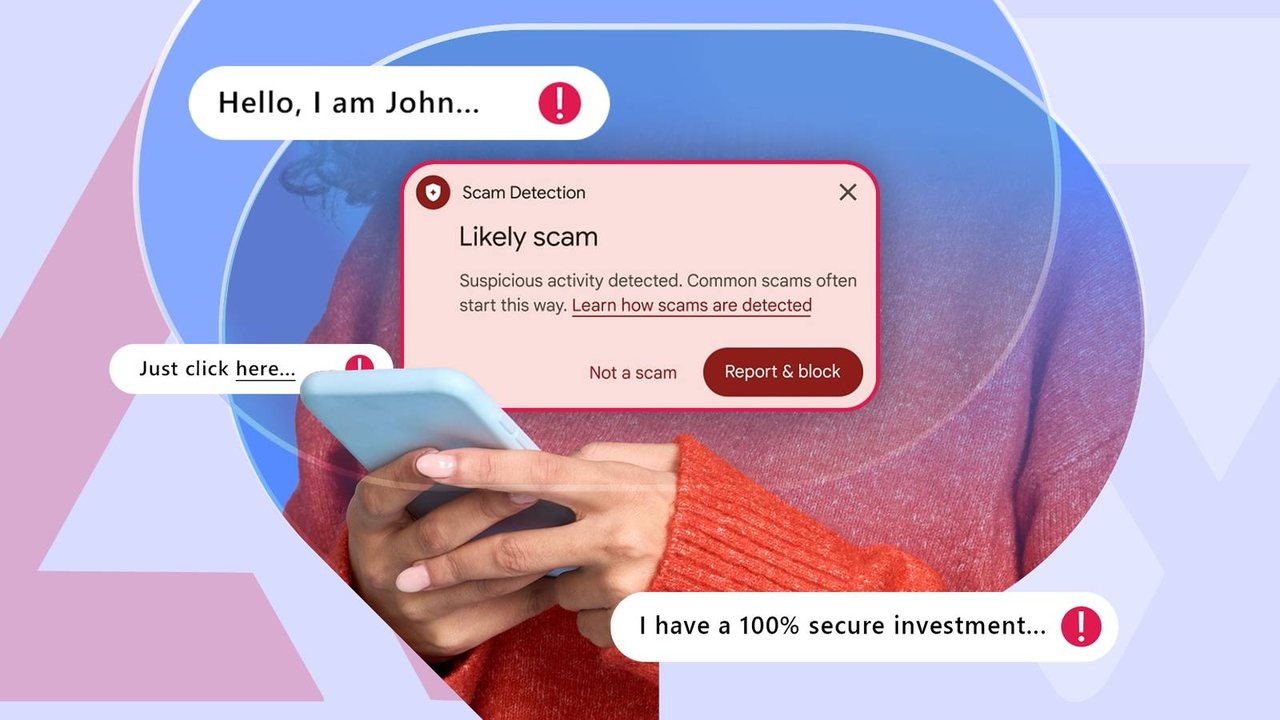
Google has introduced an optional Enhanced protection feature in Google Messages designed to address sophisticated mobile fraud where unknown senders build trust over time before attempting scams. Announced alongside broader Android security updates in October 2026, the rollout uses a combination of on-device processing and cloud-based Gemini models.
How Enhanced Protection Works
While standard scam detection runs locally on devices for basic filtering, the new opt-in setting expands security capabilities:
- Cloud-Based Gemini Analysis: Chats with senders outside your contact list can be analyzed by Google's cloud Gemini models to detect fraudulent patterns.
- Smart Link Checks: Gemini Nano operates on-device using live web signals to evaluate unfamiliar links, identifying brand-new scam sites that may not appear on traditional blocklists.
- Redesigned Warnings: Users encounter clearer warning contexts before opening links sent by unsaved numbers.
Privacy and Data Handling
Google states that cloud analysis for Enhanced protection takes place within Private AI Compute, a secure environment where data is encrypted and reportedly inaccessible to Google. Importantly, this analysis applies exclusively to conversations with unknown senders, leaving chats with saved contacts unanalyzed by the cloud.
Reporting a message as spam, however, sends contents to Google outside of Private AI Compute for evaluation.
Availability and Device Requirements
Because of varying hardware demands, features roll out across specific devices:
- Cloud scam analysis: Supports Google Pixel 6 and newer, Samsung Galaxy S24 series and newer, Galaxy Z Flip 6 and Z Fold 6 onward, and select Android AICore devices.
- Gemini Nano link checks: Limited to newer hardware, including Pixel 10 and newer, Galaxy S26 series, and Galaxy Z Flip 8 and Z Fold 8.
How to Enable the Feature
Users can enable the setting by opening Google Messages, tapping their profile picture in the upper-right corner, navigating to the "Spam and scam protection" section, and selecting "Enhanced protection." If the option is not immediately visible, users can update the app via the Google Play Store.