How Samsung's Routines Feature Helps Save Daily Battery Life
· GlobeWire Daily Editorial Desk · Source: www.androidpolice.com
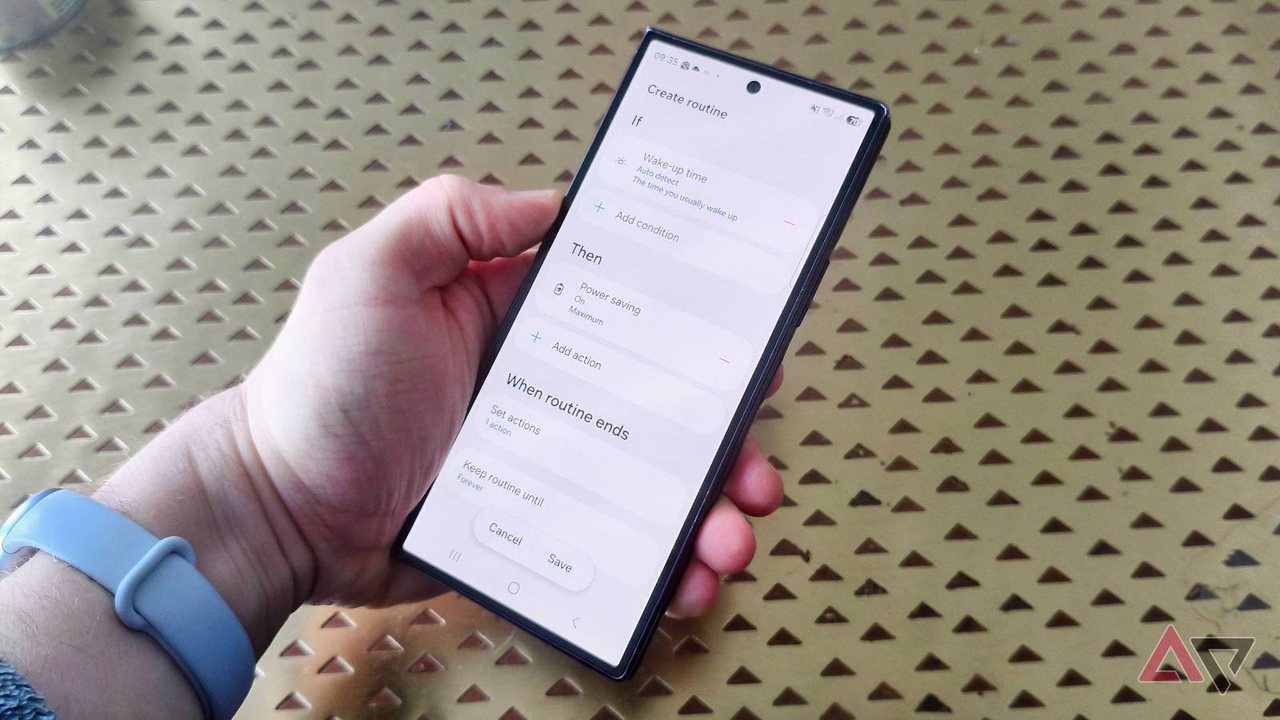
A reported personal test suggests that Samsung's built-in Modes and Routines tool can help reduce daily battery drain on Galaxy devices. Freelance technology writer Tom reported using the automation tool on a Samsung Galaxy Z Fold 8 Ultra to address battery concerns.
Understanding Modes and Routines
Samsung's Modes and Routines application allows users to automate various phone settings based on specific triggers, such as time, location, or app usage. While Modes offer simple, pre-configured adjustments for activities like driving or exercising, Routines involve more customizable, multi-step actions.
- Modes: Quick switches for specific situations like driving or workouts.
- Routines: Conditional setups where a specific trigger initiates a string of automated device actions.
Testing Overnight Battery Savings
To address nighttime battery drain, a custom routine was created to run between midnight and 7:30 a.m. while at home. The routine enabled Do Not Disturb and restricted most applications.
- Results: With the routine enabled, average overnight battery drain was reported at 2%, compared to an average of 6% when disabled.
- Impact: The author noted an estimated daily savings of roughly one hour of idle usage time, operating quietly in the background without manual intervention.
Daytime Adjustments and Other Uses
Creating a daytime routine proved more challenging due to a variable freelance schedule and the need to keep the device fully usable for work. A routine set during certain daytime hours at specific locations enabled power-saving features, Reading Mode, and specific notification settings.
While daytime battery savings were harder to quantify, the author noted additional practical benefits, such as adjusting notification sounds and enabling Link to Windows automatically.
Practical Implications and Verification
Users interested in exploring automation can find the Modes and Routines feature within Samsung Galaxy settings. Because results depend heavily on individual usage patterns, app configurations, and specific device models, users can test custom routines to observe potential battery impacts firsthand. Original announcements and software details can be verified through official Samsung documentation.