Android's Private DNS Protocol Discrepancy Creates Stability Issues for Ad Blockers
· GlobeWire Daily Editorial Desk · Source: www.androidpolice.com
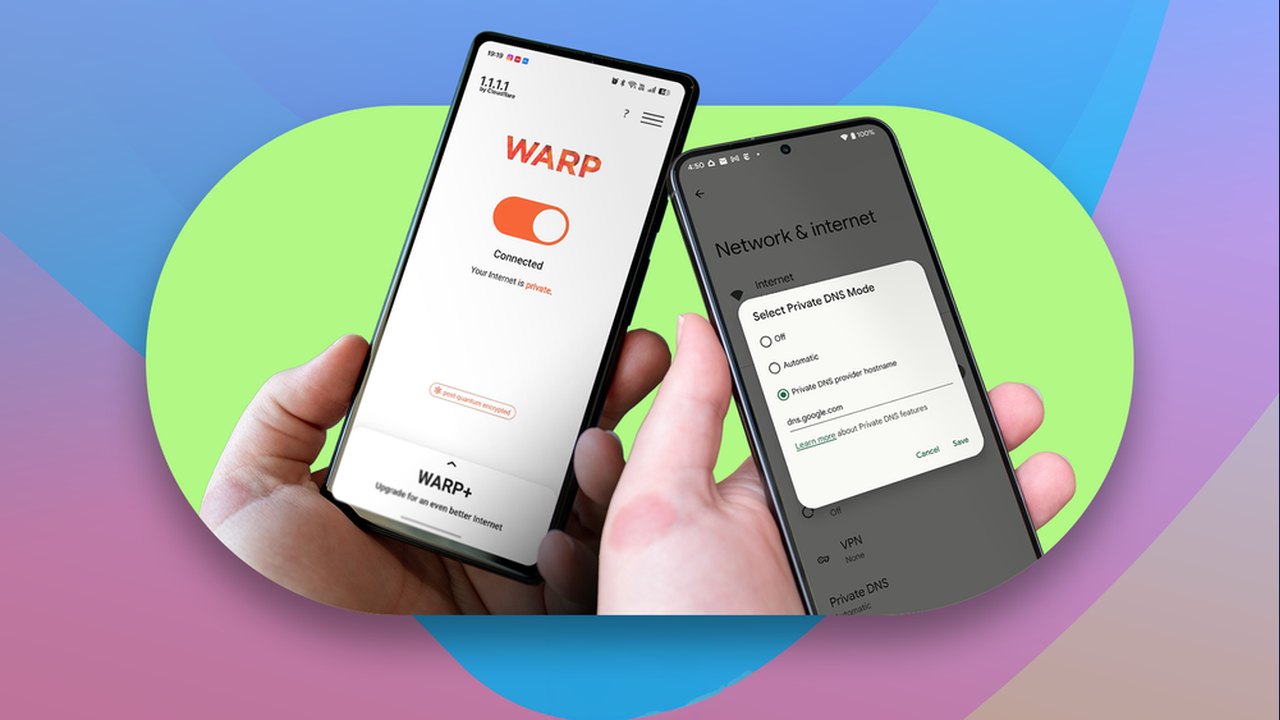
Image: Android Police · Photo source · Resized and letterboxed to 16:9; no AI generation
Users relying on third-party ad-blocking DNS providers via Android's 'Private DNS' setting often face connectivity issues on restricted networks. While Google’s own DNS services benefit from a secondary communication path, other providers are limited to more fragile connection methods.
The Technical Divide: DoT vs. DoH3
Android implements two distinct protocols for private DNS resolution:
- DNS-over-TLS (DoT): Used by most providers like AdGuard, NextDNS, and Quad9. It operates on TCP port 853, which is frequently blocked by public Wi-Fi, hotels, and corporate firewalls.
- DNS-over-HTTP/3 (DoH3): A faster, more resilient protocol that utilizes UDP port 443—the same port used for standard web traffic. This makes it significantly harder for networks to block.
Why Google's DNS Has an Advantage
As of current Android system implementations, the DoH3 protocol is restricted to a hard-coded list of 'well-known' resolvers, primarily Google’s own services and Cloudflare. When a user sets `dns.google` as their provider, Android attempts both DoT and DoH3. If the DoT connection fails, the device silently switches to the HTTP/3 path, maintaining internet connectivity without user intervention.
In contrast, if a user specifies a provider like AdGuard, the device relies exclusively on DoT. If port 853 is blocked, the 'strict mode' nature of Android's Private DNS prevents the phone from failing over to the network's default DNS settings, resulting in a total loss of internet access.
Practical Implications and Workarounds
Because Android's Private DNS operates in a strict, non-failover mode for most providers, users face a difficult trade-off:
- Manual Switching: Users can set Private DNS to 'Automatic' mode when joining public networks. This allows fallback to plain DNS but sacrifices encryption and ad-blocking capabilities.
- Dedicated Apps: Using an application-based DNS solution (such as RethinkDNS or official provider apps) allows traffic to be routed through a local VPN tunnel. This sends DNS queries over HTTPS (port 443), which reliably bypasses firewalls. Note that this occupies the phone's single available VPN slot.
To verify your current configuration, check the Settings > Network & internet > Private DNS menu on your Android device. Experts suggest that broadening DoH3 support to all user-entered hostnames or implementing broader resolver discovery protocols could resolve this imbalance.
AI-assisted reporting; source claims are attributed and have not been independently verified.
More to read
 Android SMS of Death Vulnerability Discovered: What We Know About the Crash Bug and Coming Fixes
 Elo Adds Zebra DataWedge Support to Streamline Enterprise Data Capture on Android Devices
 Use Android Circle to Search to Check Suspicious Text Messages
 Xreal Launches Aura Wired Smart Glasses Powered by Android XR
Trending on GlobeWire Daily
Selected from recent coverage and related topics; not live search rankings.
 Madhya Pradesh Government Plans Revenue Generation from 117-Year-Old Edward Villa in Mumbai Through Leasing
 iPhone 18 Pro Named TechRadar Product of the Year 2026
 Google Project Suncatcher Runs Gemma 4 AI on Orbiting Satellite and Receives First Response
 Gender Disparities in Eye Care Access Across India Examined
 Satellite Images Show Cyclone Arnab Weakening Over India As New System Brews
 Expanding Green and Blue Spaces Crucial for India's Economic and Public Health, Reports Indicate