Disgruntled Researcher Discloses Windows Zero-Day SignDrop Enabling System-Level Privilege Escalation
· GlobeWire Daily Editorial Desk · Source: arstechnica.com

Image: Ars Technica · Photo source · Resized and letterboxed to 16:9; no AI generation
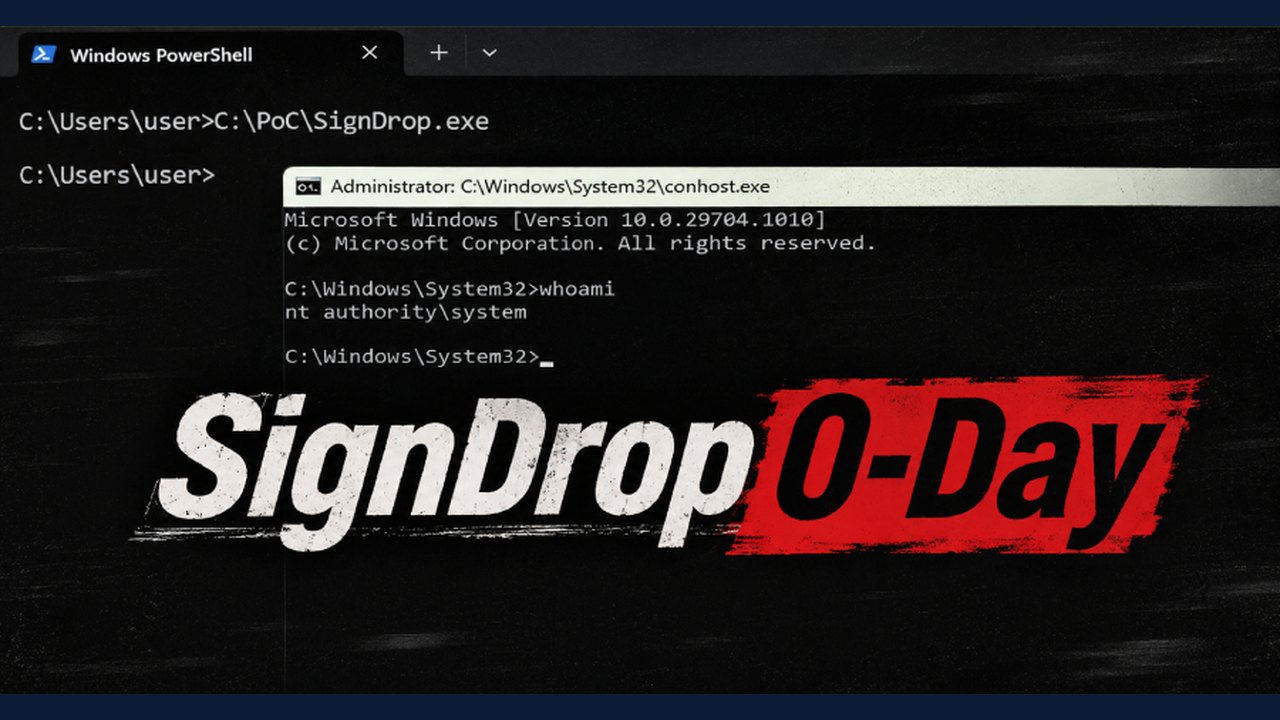
A researcher operating under the pseudonym Nightmare Eclipse publicly disclosed a Windows zero-day vulnerability named SignDrop, which can allow local users to gain full System rights on certain Windows versions. According to the disclosure, the security flaw exists within the Common Log File System (CLFS) and involves interactions with Windows Defender.
Overview of the Reported Vulnerability
- Name: SignDrop
- Target Component: Common Log File System (CLFS)
- Reported Impact: Privilege escalation to full System rights for local users
- Disclosed By: Researcher Nightmare Eclipse
How the Exploit Mechanism is Said to Work
The researcher reported that the technique forces a privileged process, such as Windows Defender, to open a crafted CLFS container. By manipulating Windows Object Manager symbolic links, an attacker with standard user privileges can allegedly cause Defender to open the log file using legitimate functions like `ServerMpUpdateEngineSignature`.
According to the details shared, if an authentication file is missing, CLFS creates it using the antimalware engine's System privileges. The vulnerability paradoxically stems from a security mitigation introduced by Microsoft in October 2025 to address earlier CLFS issues. Nightmare Eclipse stated that the logic allows this mitigation to be weaponized, potentially bypassing antimalware self-defense mechanisms.
Scope and Independent Verification
Nightmare Eclipse stated that the exploit worked against Windows 11 26H2, Windows 11 26H2 Experimental, and Windows Server 2025 Experimental.
Independent security researcher Will Dormann stated in an interview that he successfully reproduced the exploit, confirming it works as described on specific configurations. However, Dormann noted practical constraints:
- The targeted system must be running Windows 26H2 and have existed for more than 90 days.
- The registry value at `HKEY_LOCAL_MACHINE\SYSTEM\CurrentControlSet\Services\CLFS\Authentication\Mode` must be set to 0 or 1.
- Out of multiple machines tested by Dormann, only one met these exact requirements.
Practical Implications and Verification
Because Microsoft utilizes staged rollouts for updates like version 26H2, the exact prevalence across active machines remains unclear. Users can verify their operating system build by running the `winver` command and inspect the CLFS authentication mode registry key to determine if their system matches the described conditions.
Official Response
In a statement provided after the initial publication, Microsoft stated that it was actively investigating the writeup. The company confirmed it had no evidence of the vulnerability being exploited in the wild and noted that Windows Defender blocks potential exploitation attempts.
AI-assisted reporting; source claims are attributed and have not been independently verified.
More to read
 Public Exploit Code Targets Windows CLFS Driver in SignDrop Claims
 China-Linked Hackers Exploited VMware ESX Zero-Day to Reduce Audit Trail Visibility
 Apple Backports CoreGraphics Zero-Day Patches to Older iPhones and iPads
 Level-5's Rogue Galaxy Receives Early Static Recompilation Build for Native Windows Execution