How to Get a Samsung-Style Edge Panel on Non-Galaxy Android Phones
· GlobeWire Daily Editorial Desk · Source: www.androidauthority.com
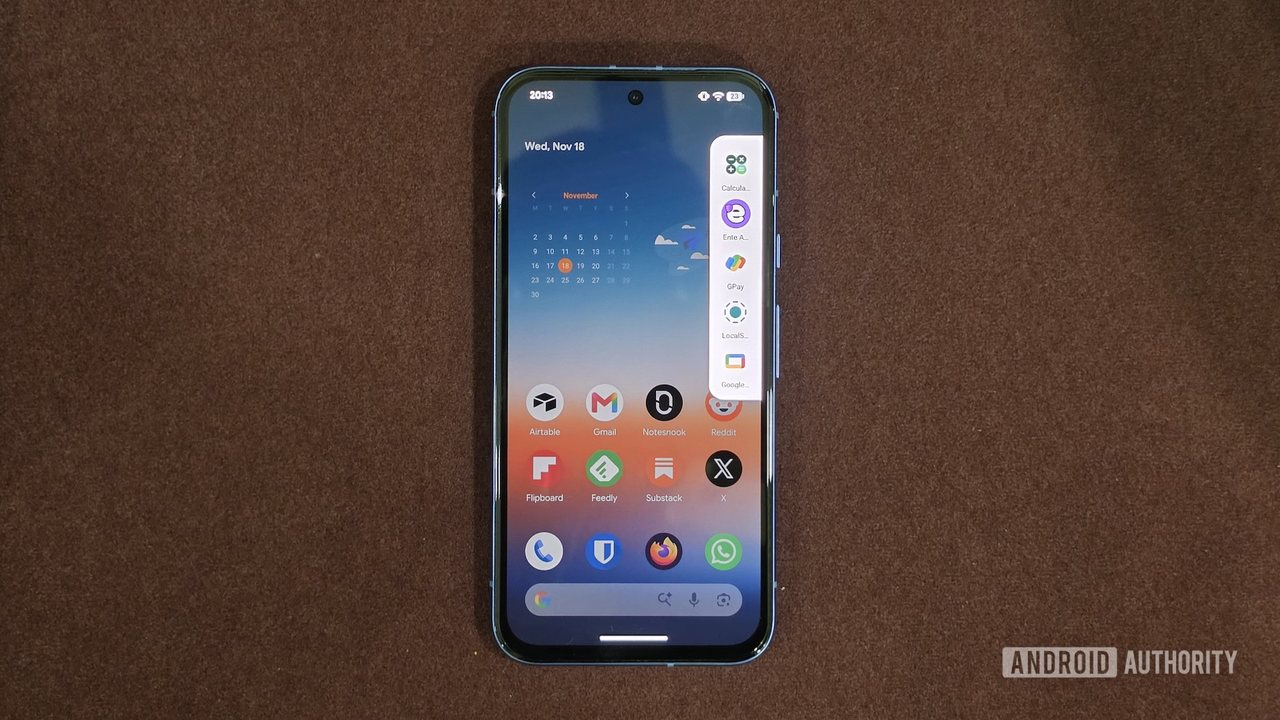
Android users looking to replicate Samsung’s One UI Edge Panels feature on other devices, such as a Google Pixel, can utilize a third-party application called Panels. According to reports, this free app allows users to add a customizable sidebar along any of the four edges of their phone's screen.
Understanding the Panels App
The Panels (listed as Panels – sidebar launcher) application operates on a freemium model. While core features are available for free, a $1.50 upgrade unlocks an ad-free experience, advanced customization options, and support for unlimited items.
Compared to native Samsung Edge Panels, the third-party app supports additional content types, including:
- Favorite apps and contacts
- Frequently visited websites
- App shortcuts and widgets
- Folders to organize similar items
Setup and Customization
Users can configure the sidebar to match their preferences by adjusting various settings:
- Layout: Adjust columns and vertical position to avoid gesture conflicts with system navigation.
- Appearance: Modify colors by disabling default color settings.
- Triggers: Configure the visible width of the handle and prioritize gestures.
Limitations and Practical Considerations
While the application provides a functional sidebar, reports note certain limitations depending on the device:
- Gesture Conflicts: Third-party sidebars may occasionally interfere with Android's back-swipe gesture, though adjusting the vertical placement can help.
- Freeform Windows: On Pixel devices, floating windows opened via the app lack native integrated controls for closing or minimizing due to differences between Pixel UI and Samsung's One UI.
- Advertisements: The free version displays ads during customization.
To verify original functionality, users can download the app from official app stores and review its permission requests and current pricing models directly.