All‑in‑One Desktops: When Simplicity Beats Upgradeability
· GlobeWire Daily Tech Desk · Source: www.engadget.com
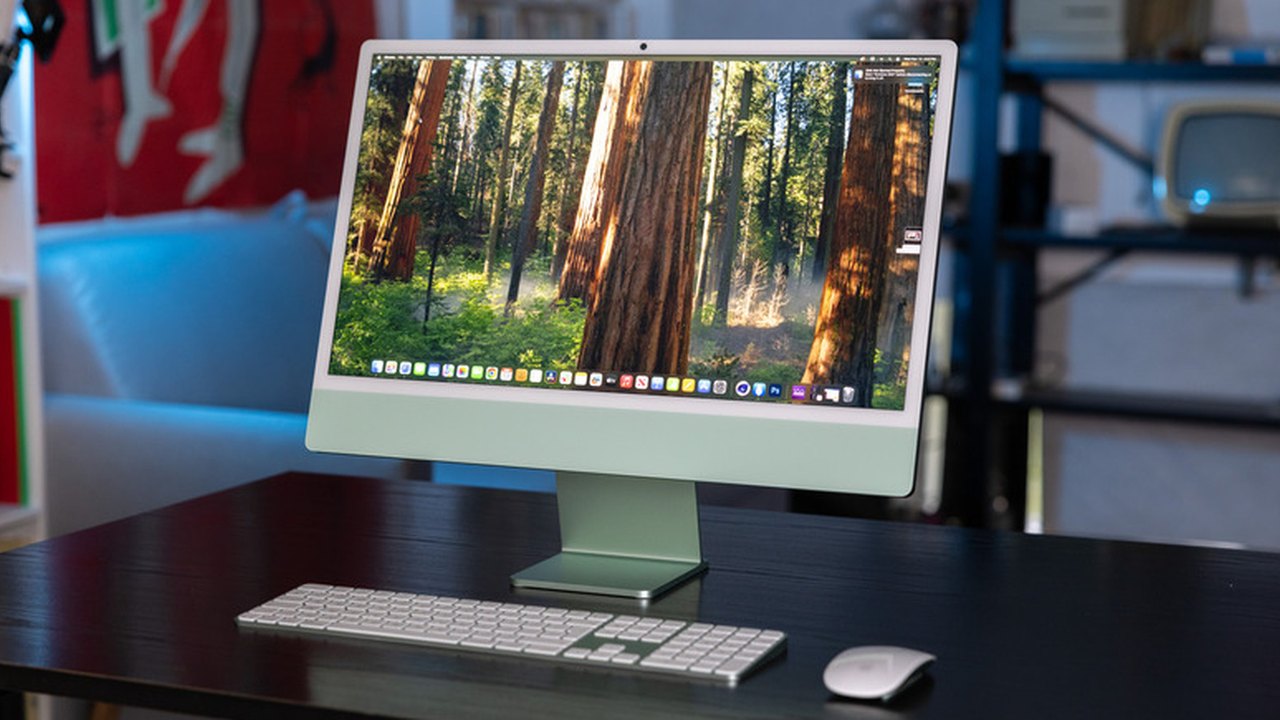
Image: www.engadget.com
Overview
Recent coverage by *Engadget* outlines the trade‑offs that come with all‑in‑one (AIO) desktop computers. By integrating the computer’s internals directly behind the display, AIOs promise a clutter‑free workspace, but the compact chassis can limit future upgrades and repairs. The article walks through the practical consequences for different user groups, from home‑office workers to power users.
Key Advantages (as reported by Engadget)
- Minimal setup – A single unit houses the CPU, GPU, storage and monitor, so users typically only need to connect power and a peripheral set (keyboard/mouse). This “plug‑and‑play” experience is especially appealing to non‑technical consumers.
- Space efficiency – Without a separate tower, AIOs occupy a fraction of the footprint of a traditional desktop‑monitor pair, making them suitable for small apartments, dorm rooms, or crowded office desks.
- Aesthetic appeal – The integrated design delivers a sleek, minimalist look that many buyers find more attractive than a boxy tower.
- Portability within a home – While not as mobile as a laptop, an AIO can be lifted and moved more easily than a tower‑monitor combo, simplifying temporary relocations.
Main Drawbacks (as reported by Engadget)
- Limited upgrade paths – Most models have components soldered or tightly packed, restricting upgrades to RAM or storage on a case‑by‑case basis. Replacing the processor or graphics card is generally not feasible.
- Repair complexity and cost – The sealed design often requires technicians to disassemble glued‑in parts, which can increase labor time and expense when something fails.
- Potential for higher component prices – Because upgrades are constrained, users may need to purchase higher‑spec parts up‑front, and RAM upgrades for AIOs can be pricier than for standard desktops.
Practical Implications for Different Users
- Casual users – For tasks such as web browsing, document editing, and video conferencing, the convenience of a single‑cable setup often outweighs the lack of future expandability.
- Creative professionals & gamers – Those who need powerful GPUs, large amounts of RAM, or the ability to swap components for newer technology may find traditional desktops or high‑performance laptops a better fit.
- Corporate and educational environments – The tidy appearance and reduced cable management make AIOs attractive for offices and computer labs where IT staff prefer standardized, low‑maintenance hardware.
Verifying the Claims
The Engadget piece does not provide original benchmark data or pricing tables; it summarizes general industry observations. Readers can confirm the specifics for a given model by:
- Visiting the manufacturer’s specification page (e.g., Apple iMac, Dell Pro 24) to see which components are user‑replaceable.
- Consulting third‑party teardown videos that reveal how components are mounted and whether they are soldered.
- Checking warranty terms to understand repair policies for sealed units.
Decision Checklist
- Do you prioritize a clean desk and quick setup? → AIO likely suits you.
- Do you anticipate needing more RAM or a stronger GPU in the next 2‑3 years? → Traditional desktop may be safer.
- Is your budget flexible enough to buy a higher‑spec AIO now? → Consider the total cost of ownership versus future upgrade costs.
Conclusion
All‑in‑one desktops occupy a niche where design elegance and ease of use are paramount, but they come with inherent constraints on hardware flexibility. Prospective buyers should weigh the immediate convenience against long‑term upgrade needs, and verify model‑specific upgrade options before purchase.
--- *The information above is derived from Engadget’s article “The pros and cons of using an all‑in‑one desktop computer” and does not include any proprietary excerpts.*
AI-assisted reporting; source claims are attributed and have not been independently verified.
More to read
 Keurig Alta Brewer Review: New Pod Technology Meets Espresso Capabilities
 REA Project Connects AI Agents to Reverse Engineering Tools for Binaries and Applications
 Open-Source Tool 'Coucou' Brings AI Coding Agent Monitoring to Mac Notches and Mobile Devices
 GitHub Platform Metrics Highlight Scale With Over 225 Million Developers
Trending on GlobeWire Daily
Selected from recent coverage and related topics; not live search rankings.
 Pakistan Prime Minister Faces Social Media Scrutiny Following Hong Kong Sixes Win
 Open‑Source ‘It’s a Plan’ Offers Self‑Hosted Project Management with AI Agents
 Delhi Cyber Cell Investigates High School Student Over 17 Lakh Life Certificate Fraud APK
 South Africa Seal Test Series Against Australia in Cape Town
 MGM+ Announces Four-Part Documentary Series 'New Wave' Detailing Music Evolution from 1977 to 1987
 South Africa Dethrones Australia to Claim ICC Men's Test Team Rankings Summit