OpenMAIC Releases v1.4.2 with Course-Level Undo and PBL v3 for Project-Based Learning
· GlobeWire Daily Editorial Desk · Source: github.com
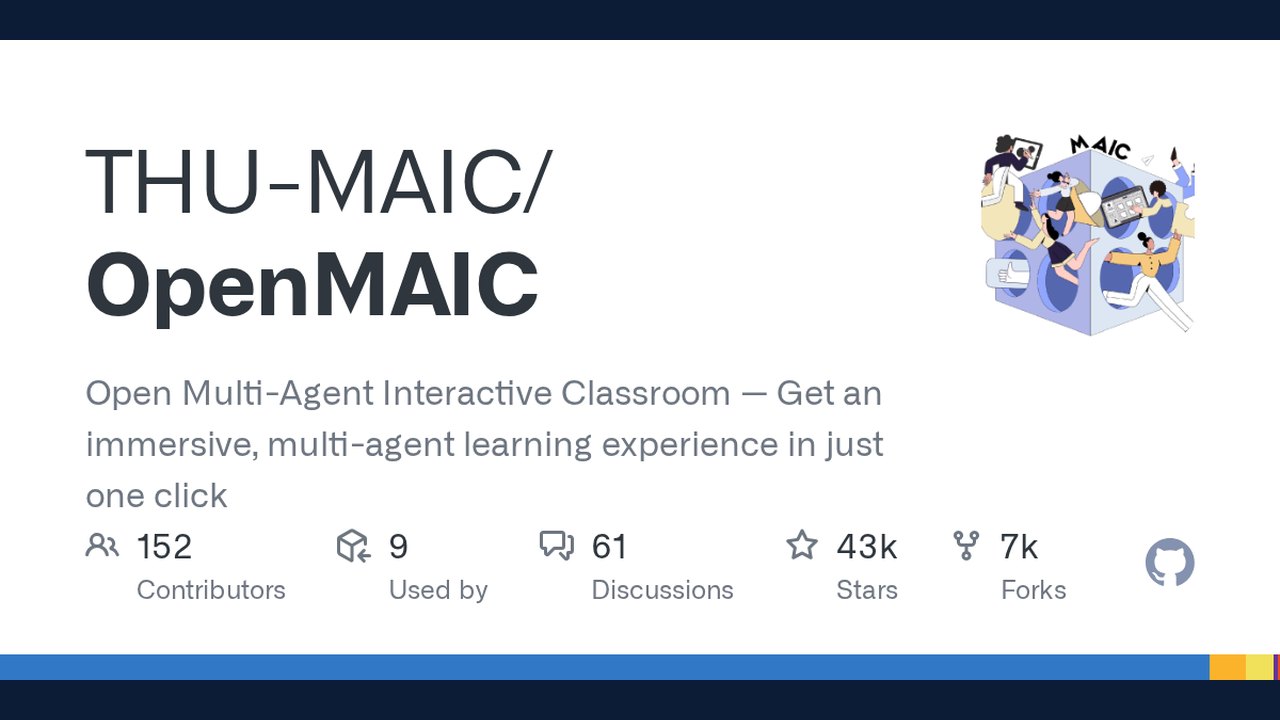
Image: GitHub · Photo source · Resized and letterboxed to 16:9; no AI generation
OpenMAIC (Open Multi-Agent Interactive Classroom), an open-source AI platform that transforms any topic or document into an immersive, multi-agent classroom experience, has released version 1.4.2 as of November 9, 2026. The project, hosted on GitHub by THU-MAIC, enables AI teachers and AI classmates to lecture, discuss, draw on a whiteboard, and engage learners in real time through generated slides, quizzes, interactive simulations, and project-based learning activities.
What OpenMAIC Does
- One-click lesson generation: Describe a topic or attach materials; the AI builds a full lesson in minutes.
- Multi-agent classroom: AI teachers and peers lecture, discuss, and interact with learners in real time.
- Rich scene types: Slides, quizzes, interactive HTML simulations, and project-based learning (PBL).
- Whiteboard & TTS: Agents draw diagrams, write formulas, and explain out loud.
- Export anywhere: .pptx preserving every scene, one offline .html file that plays the whole lesson, or a classroom ZIP for migration.
- Agent workbench integration: The OpenMAIC Skill works with OpenClaw, Codex, DeepSeek, WorkBuddy, and more — generate classrooms from Feishu, Slack, Telegram, 20+ messaging apps, or your IDE.
Recent Major Releases
v1.4.2 (2026-11-09)
- Course-level undo/redo: one undo/redo line per course covers manual edits, page changes, narration, and agent runs, with buttons in the workbench header and Cmd/Ctrl+Z.
- Director no longer retries a failing teacher indefinitely.
- Pro edits no longer leave an interactive page empty.
- `ALLOW_LOCAL_NETWORKS` now covers fake-IP proxies.
- Upgrade note: Any admitted owner can now use sandboxes; protect anonymous public deployments.
v1.4.1 (2026-11-05)
- Edits and learner progress preserved through background syncs.
- Background sync no longer discards unsaved edits, empties a PBL v2 project, or deletes a page an agent just added.
- Courses open quickly again on slow connections.
- PBL v3 releases a deleted course's sandbox.
- No upgrade conditions over 1.4.0.
v1.4.0 (2026-11-04) — PBL v3 Launch
- Project-based learning PBL v3: A new "vibe coding" pathway — build the project, understand how it works, learn by doing.
- AI tutor guides through requirements, design, implementation, and answers questions at any point.
- Milestones bring staged feedback and a personal learning report.
- Work and progress are kept for self-paced continuation.
- Enablement: Configure a sandbox provider and checkpoint storage, then open `/pbl-v3` (setup guide); stays off otherwise.
- One-way upgrade: Stop all 1.3.x instances first; rollback needs a database restore; older replicas exit when a newer release migrates the database. Read Breaking Changes before upgrading.
v1.3.x Highlights
- v1.3.1 (2026-11-02): DeepSeek Token Plan — one key lights up chat, web search, and web fetch; asset uploads no longer hold database connections across slow object stores; edits made just before leaving a page are kept.
- v1.3.0 (2026-10-29): Knowledge base and Pro workbench upgrade — every upload kept in owner's knowledge base until deleted, organized in folders, parsed once per conversation; composer offers it via `@`; agent can read, search, organize. Pro workbench shows agent work preview before first page exists; classroom tabs switch between Learn and Edit.
Deployment & Requirements
- PostgreSQL 16 required: Courses stored on server. For local development, `pnpm db:up` starts one in Docker.
- Server-first architecture (since v1.2.0): Generation runs on server and survives closed tabs/restarts; models configured once in `openmaic.yml`; web app and API share one pipeline.
- Long-running process needed: Course generation runs inside server and continues after browser leaves page. Vercel and other serverless hosts not supported from v1.2.0 onward.
- Docker Compose: Two containers (app + PostgreSQL). Courses, media, and runtime sessions live in named volumes `openmaic-postgres` and `openmaic-data`.
- Security: Set `ACCESS_CODE` (long random value, ≥16 chars) in `.env.local` to protect deployment. Set `PERSISTENCE_POSTGRES_PASSWORD` before first start.
- Optional services: Lemonade (local LLM/TTS/ASR), FunASR (local speech recognition), MinerU (advanced document parsing), VoxCPM2 (self-hosted TTS with voice cloning), render-service (MP4 video export).
Supported AI Providers
OpenAI, Azure OpenAI, Anthropic, Amazon Bedrock, Google Gemini, DeepSeek, Qwen, Kimi, MiniMax, Grok (xAI), OpenRouter, TokenDance, Doubao, Tencent Hunyuan/TokenHub, Xiaomi MiMo, GLM (Zhipu), Ollama, Lemonade, FunASR (local), and any OpenAI-compatible API.
Practical Implications
- Educators & creators: Build interactive courses without coding; export to PPTX/HTML for offline use.
- Developers: Integrate classroom generation into IDEs (Codex, DeepSeek) or messaging apps (Slack, Telegram, Feishu).
- Organizations: Self-host with full data control; configure token plans for multi-modal capabilities (chat, image, video, TTS, web search) with single keys.
- Verification: All releases documented on GitHub with changelogs, breaking changes, and upgrade guides. Source code at `github.com/THU-MAIC/OpenMAIC`.
How to Verify & Get Started
- Visit the GitHub repository: `https://github.com/THU-MAIC/OpenMAIC`
- Read the Quick Start guide and release notes for your target version.
- For local development: clone repo, copy `.env.example` to `.env.local`, add `OPENAI_API_KEY` (or other provider key), run `pnpm db:up` then `pnpm dev`.
- For Docker: copy `openmaic.example.yml` to `openmaic.yml`, configure providers, set `ACCESS_CODE` and `PERSISTENCE_POSTGRES_PASSWORD`, run `docker compose up -d --build`.
- Review upgrade guides carefully — major versions (1.2.0, 1.3.0, 1.4.0) have one-way database migrations requiring full instance stops and database backups.
AI-assisted reporting; source claims are attributed and have not been independently verified.
More to read
 Zexyen Releases Witch-Time, an Unofficial Static Recompilation Project for Bayonetta 3 on PC
 MIT Publishes Open Course Materials for PhD-Level Macroeconomic Identification
 TRAI Releases New Recommendations for Application-Based Linear Television Distribution Services
 Lexmount Releases Moli: A Rust-Based Headless Browser Optimized for AI Agents
Trending on GlobeWire Daily
Selected from recent coverage and related topics; not live search rankings.
 Madhya Pradesh Government Plans Revenue Generation from 117-Year-Old Edward Villa in Mumbai Through Leasing
 iPhone 18 Pro Named TechRadar Product of the Year 2026
 Google Project Suncatcher Runs Gemma 4 AI on Orbiting Satellite and Receives First Response
 Gender Disparities in Eye Care Access Across India Examined
 Satellite Images Show Cyclone Arnab Weakening Over India As New System Brews
 Expanding Green and Blue Spaces Crucial for India's Economic and Public Health, Reports Indicate