Comparing iCloud Private Relay and VPNs: Security, Limits, and Differences
· GlobeWire Daily Editorial Desk · Source: www.engadget.com
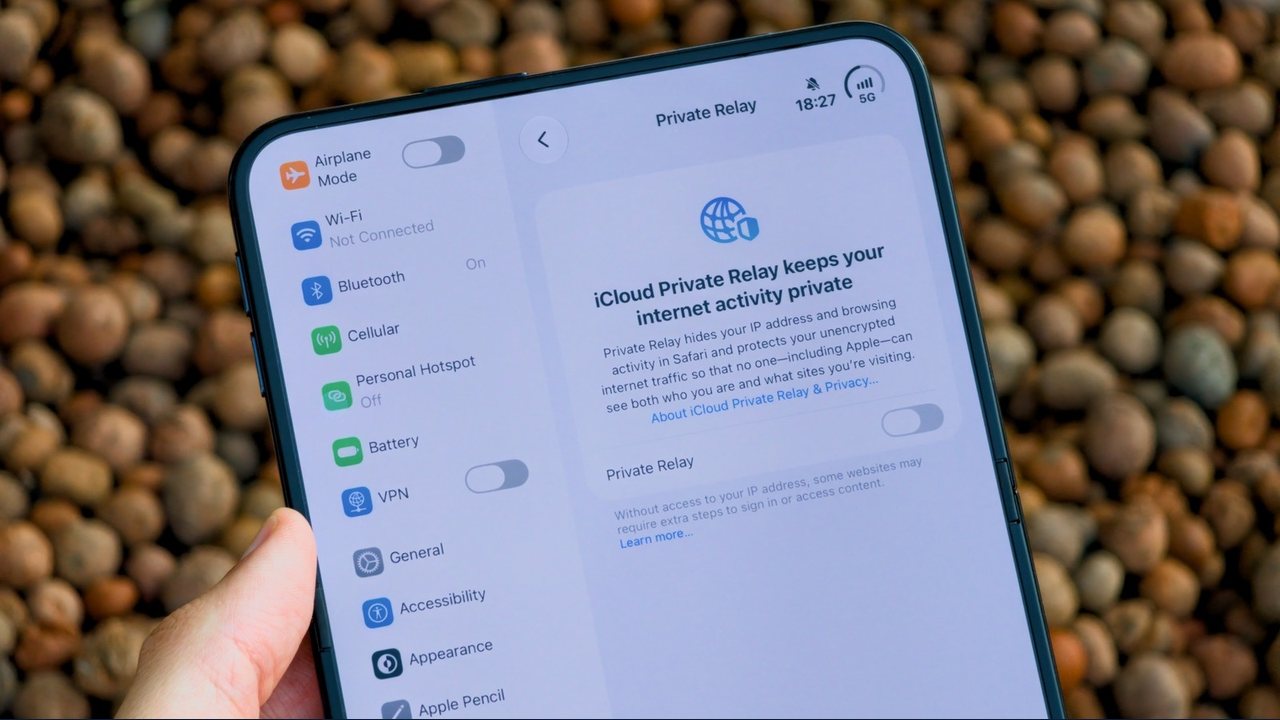
Apple offers iCloud Private Relay as an iCloud+ subscription feature designed to hide IP addresses in Safari, while traditional virtual private networks route all device traffic with broader encryption and location control. Reports indicate that Private Relay and standard VPNs protect browsing data through different mechanisms, with distinct limitations regarding app compatibility, geographic availability, and encryption scope.
How iCloud Private Relay Operates
Private Relay uses a dual-layer architecture designed to separate identifying information:
- First Layer: Operated by Apple, which sees the user's original IP address but not the destination website.
- Second Layer: Operated by a partner such as Cloudflare or Akamai, which connects to the website without knowing the user's identity.
Because neither entity holds the complete browsing picture, website tracking is hindered. However, reports note that Private Relay only functions within Safari and unencrypted HTTP app traffic, leaving other browsers and apps unprotected. It also provides a general regional IP address rather than letting users select specific international locations to bypass geo-blocking.
Limitations and Regional Restrictions
- Geographic Limits: The feature is not available in certain regions, including China, Russia, and Saudi Arabia.
- Passkey Exposure: Requests made using passkeys operate outside the browser and may expose the real IP address.
- Compatibility: Some websites may experience compatibility issues when Private Relay is enabled.
What Traditional VPNs Provide
Unlike Private Relay, a standard VPN encrypts all traffic leaving a device across all browsers and applications. Users can install VPNs on non-Apple operating systems like Windows and Android, or configure them directly on network routers. VPNs also permit users to change virtual locations to access region-restricted content.
However, using a VPN requires trusting a single provider with all network traffic. Security experts advise avoiding unknown or free VPN services, as some malicious applications have masqueraded as VPNs to track and monetize user data.
Verification and Practical Steps
Users can enable Private Relay on Apple devices through the Settings app under the Apple Account and iCloud+ Features menu. To verify functionality or compare protection levels, consult Apple's official support documentation and review independent security assessments of specific VPN providers.